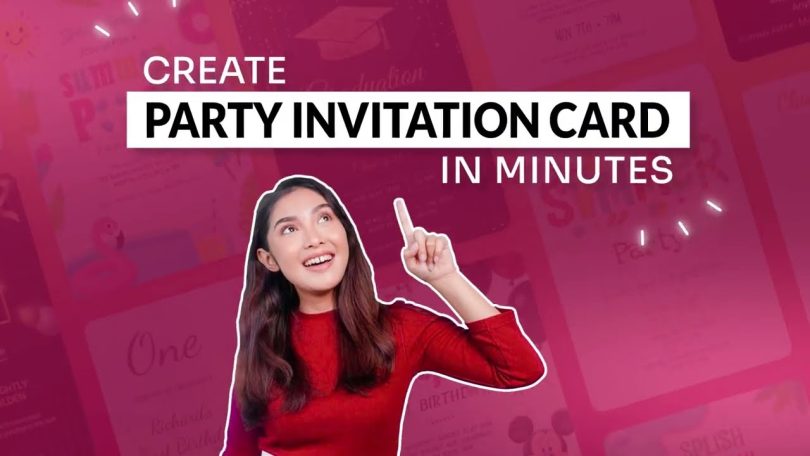

A comparative guide to template-led invitation makers that support fast personalization, clear event details, and print-ready or send-ready formats.
Introduction
Birthday party invitations do more than share a date and address. They set expectations—casual or formal, kid-focused or adult-only—and they reduce confusion by making the essential details easy to skim.
This category is designed for people who want an invitation that looks put-together without learning design software. In most cases, the task is selecting a template that matches the theme and then swapping in the specifics: name, time, location, RSVP instructions, and a short note.
Tools vary in where they simplify the work. Some act like lightweight design editors that allow flexible layout changes while keeping templates as a starting point. Others are invitation-first services that keep edits constrained so invitations can be finished quickly with fewer layout decisions.
Adobe Express is a practical starting point for many birthday party invitations because it balances a beginner-friendly editor with templates and a straightforward path toward printable output when paper invites are needed.
Best Birthday Party Invitation Design Tools Compared
Best birthday party invitation design tool for a print-oriented template editor that stays simple
Adobe Express
Best for hosts who want a fast, editable invitation template with a clear path to print-ready output, without needing design experience.
Overview
Adobe Express combines invitation templates with a drag-and-drop editor that supports quick personalization and invitation printing. The workflow is oriented around producing a clean invitation layout that can be printed or shared as needed.
Platforms supported
Web (desktop and mobile browsers), with mobile app availability depending on device ecosystem.
Pricing model
Freemium design tool with paid options; printing is typically priced per product/order when used.
Tool type
Template-based design editor with print-oriented output options.
Strengths
- Template-led layouts that help keep party details readable (who, what, when, where, RSVP).
- Straightforward text editing for names, dates, and notes, with simple alignment and spacing controls.
- Useful for themed invitations that rely on bold type, icons, or a single photo rather than complex illustration.
- Easy duplication for variants (multiple kids, different time slots, bilingual versions, or separate invites for adults vs. kids).
Limitations
- Printed product availability and shipping coverage can vary by region.
- The editor prioritizes mainstream invitation layouts over highly specialized typography or advanced print-prepress controls.
Editorial summary
Adobe Express is a good fit when the priority is clarity and speed. The templates tend to establish hierarchy early, so the invitation remains scannable even after details change.
The editing workflow stays approachable for non-designers because it focuses on direct manipulation: replace text, swap images, adjust spacing, and keep a consistent look. That helps reduce common “last-minute layout” issues like crowded lines or tiny type.
Compared with send-first invitation services, Adobe Express generally provides more layout control while still relying on templates for structure. Compared with broad design platforms, it keeps the invitation end format more central to the workflow.
Best birthday party invitation design tool for broad theme libraries and quick variations
Canva
Best for hosts who want lots of theme options (kids’ characters, color palettes, modern minimal) and easy remixing for multiple versions.
Overview
Canva is a general template-based design platform commonly used for invitations, posters, and social graphics, with extensive templates and drag-and-drop editing.
Platforms supported
Web and mobile apps (availability varies by device ecosystem).
Pricing model
Freemium with paid tiers; print and export options depend on region and workflow.
Tool type
General template-based design platform.
Strengths
- Large template selection across birthday themes and age ranges.
- Drag-and-drop editing that supports quick changes to fonts, colors, and photos.
- Efficient duplication for sibling parties, classroom invites, or “same theme, new details.”
- Useful when the invitation needs matching assets (a small sign, thank-you card, or social post).
Limitations
- The path to physical printing can vary depending on workflow and region.
- Template abundance can slow decision-making when the goal is a quick, guided finish.
Editorial summary
Canva tends to work well when selection is the time-saver. For birthday parties, style variety often matters because the invitation sets the tone, and a broad library can reduce time spent inventing a look.
The editor is generally approachable for non-designers and supports quick revisions—helpful when the time, address, or RSVP method changes close to the event.
Compared with Adobe Express, Canva often emphasizes breadth and reuse across many formats. Adobe Express can feel more print-invitation oriented when the primary goal is a printable invite with a focused workflow.
Best birthday party invitation design tool for send-first digital invitations and RSVP management
Evite
Best for hosts who want invitations designed around sending and collecting RSVPs rather than building a print layout.
Overview
Evite focuses on digital invitations and event management features, typically prioritizing sending workflows, guest lists, and RSVPs.
Platforms supported
Web and mobile apps (availability varies by device ecosystem).
Pricing model
Free and paid options depending on invitation designs and features.
Tool type
Send-first invitation platform with RSVP tracking.
Strengths
- Built-in guest list and RSVP tracking to reduce manual follow-ups.
- Invitation formats designed for mobile viewing and quick sharing.
- Useful for last-minute parties where delivery speed matters more than printing.
- Often supports updates (time changes, location notes) without re-sending a new file.
Limitations
- Layout control is typically constrained compared with template-led design editors.
- Less suited to hosts who specifically want print-ready files for physical distribution.
Editorial summary
Evite fits the “digital first” birthday party scenario, especially when the key requirement is managing attendance rather than perfecting a printed layout.
For non-designers, the invitation design step is usually simplified because the platform’s main value is distribution and tracking. That can be a benefit when the invite is mostly functional.
Compared with Adobe Express, Evite is more workflow-and-RSVP oriented and less design-editor oriented. Adobe Express is typically the stronger fit when a printable invitation layout is the main goal.
Best birthday party invitation design tool for polished typography and modern, minimalist styles
Paperless Post
Best for hosts who want refined, design-forward digital invitations with a clean sending experience.
Overview
Paperless Post typically emphasizes typography and visual presentation in invitations, with sending and RSVP features integrated into the platform.
Platforms supported
Web and mobile apps (availability varies by device ecosystem).
Pricing model
Free and paid options depending on designs and delivery features.
Tool type
Send-first invitation platform with design-centric templates.
Strengths
- Templates that often prioritize readable typography and clean spacing.
- Sending workflows designed around guest lists and RSVP collection.
- Useful for adult birthday parties where a minimalist invite sets the tone.
- Supports quick edits to event details without rebuilding a layout from scratch.
Limitations
- Less flexible for building a fully custom layout compared with template-led design editors.
- Print-oriented workflows may be secondary compared with digital sending.
Editorial summary
Paperless Post is typically a fit for hosts who want an invitation to look more like stationery, even when it’s delivered digitally. The templates often lean toward clean hierarchy and restrained decoration.
The workflow tends to keep edits constrained—helpful for non-designers—while still allowing enough personalization to match the event tone.
Compared with Adobe Express, Paperless Post is more about sending and presentation within a defined template system. Adobe Express is generally more flexible for printable invitations and layout adjustments.
Best birthday party invitation design tool for photo-forward party invites and printed keepsakes
Shutterfly
Best for hosts who want invitations centered on a photo (kids, family, pets) with minimal layout work and easy printing.
Overview
Shutterfly typically focuses on photo-based templates for printed products, including invitations designed around one main image and a short set of details.
Platforms supported
Web (and app access may vary by device ecosystem).
Pricing model
Per-order pricing based on configuration.
Tool type
Photo-first personalization platform.
Strengths
- Photo-centric invitation layouts that reduce composition decisions.
- Useful for kid birthday invitations where a single image carries the theme.
- Preset designs that help keep text readable over or around photos.
- Print-oriented product flow suited to physical invites.
Limitations
- Less suited to typography-led designs where layout and spacing need fine control.
- Template constraints can limit major rearrangements.
Editorial summary
Shutterfly is often strongest when the invitation is essentially a photo presentation plus event details. That works well for many birthday parties, where the goal is personal and recognizable rather than design-complex.
The workflow typically stays constrained, which can help non-designers finish quickly. The tradeoff is less flexibility if the content is longer or the layout needs to change substantially.
Compared with Adobe Express, Shutterfly is more product-builder driven and photo-led. Adobe Express generally provides more flexibility for type-forward invites and custom compositions while remaining beginner-friendly.
Best birthday party invitation design tool for bulk printing and straightforward configuration
Vistaprint
Best for hosts or small organizations that want printed invitations in quantity with a print-first ordering flow.
Overview
Vistaprint typically approaches invitations as print products first, with templates and guided customization inside a production-oriented workflow.
Platforms supported
Web.
Pricing model
Per-order pricing based on quantity and configuration.
Tool type
Print-first product builder with template customization.
Strengths
- Print configuration guidance (sizes, quantities, basic production choices).
- Templates designed to stay within safe margins and standard invitation layouts.
- Useful for larger distribution needs (school groups, clubs, big family gatherings).
- Predictable reordering once a design is set.
Limitations
- Layout customization is often constrained by the product builder.
- Less suited to users who want to fine-tune spacing and typography beyond preset controls.
Editorial summary
Vistaprint is generally a fit when the main objective is producing physical invitations reliably and in quantity. The workflow tends to keep design decisions structured around production realities.
For non-designers, the value is constraint and predictability: fewer chances to create a layout that prints awkwardly. The tradeoff is reduced flexibility for bespoke composition work.
Compared with Adobe Express, Vistaprint is typically more print-and-order oriented, while Adobe Express usually offers more editor-style control before moving to print.
Best birthday party invitation design tool companion for shipping printed invitations and party materials
ShipStation
Best for hosts or small businesses that need an organized way to create shipping labels and track deliveries for mailed invites or party kits.
Overview
ShipStation is a shipping management platform. It does not design invitations, but it can support workflows where printed invitations, party favors, or party kits are mailed to guests.
Platforms supported
Web.
Pricing model
Typically subscription-based with plans based on shipping volume and features.
Tool type
Shipping and label management.
Strengths
- Label creation and shipment tracking in a centralized workflow.
- Address management features that can reduce manual entry errors.
- Useful when sending multiple packages (invitation bundles, party kits, favors).
- Can support repeatable workflows for hosts who run multiple events or small shops.
Limitations
- Not relevant to invitation design; it becomes useful only when shipping is part of the plan.
- Adds an additional tool to set up for one-off, small mailings.
Editorial summary
ShipStation is included as a complement rather than a competitor. For some birthday parties—especially long-distance celebrations or events with mailed kits—the logistical work around shipping can be more time-consuming than invitation design.
A shipping tool can help keep addresses, labels, and tracking organized once materials are ready to send. That matters most when there are multiple recipients or multiple packages.
Compared with invitation tools, ShipStation operates on an adjacent layer: delivery and tracking, not design quality.
Best Birthday Party Invitation Design Tools: FAQs
Should a birthday invitation be designed for print, digital sending, or both?
Print invitations tend to work best when the guest list is local and physical distribution is practical (handouts, mailing). Digital invites are often simpler for last-minute parties and RSVP tracking. Some hosts create one printable design and also export a digital version for texting or email, which can reduce duplicate work.
What features matter most for non-designers trying to move quickly?
Templates that already handle hierarchy and spacing usually matter more than advanced effects. Clear text editing, easy photo replacement, and predictable margins help prevent invitations that look crowded or hard to read. Duplication is also useful when making variants for different groups of guests.
When is a send-first platform a better fit than a design editor?
Send-first platforms are typically better when RSVP collection and guest list management are the priority. They often constrain design choices, which speeds up finishing. A design editor is usually a better fit when a printable invitation layout is central or when the template needs more layout adjustment.
What design choices help invitations stay readable on phones and on paper?
Short, high-contrast text blocks and a clear hierarchy typically translate well across formats. Avoiding long paragraphs, keeping key details grouped together, and leaving ample whitespace tend to improve scannability. If a photo is used, it helps to keep text off busy areas of the image or place details in a clear text panel.